Mini Militia Tips and Tricks: 20 Ways to Play Like a Pro
The best Mini Militia tips and tricks come down to four habits: fly in short bursts, pick the right gun for the distance, fight from cover, and set up your controls so aiming feels natural. Get those right and you will win more fights, even when your weapon is not the strongest one on the map.
Below are 20 specific tips, grouped by skill, for the official mobile apps: Mini Militia Classic by Appsomniacs and Miniclip's version (Mini Militia - Doodle Army 2 on the App Store, Mini Militia - War.io on Google Play). If you just want to practice movement and aim right now, you can play Mini Militia Classic online in our free browser remake of Survival mode.
Not sure which app you have? See Mini Militia Classic vs War.io. Feature names can differ between the apps and change with updates, so treat menu names as a guide.
Key takeaways
- Fly in short bursts and keep some rocket boost in reserve for escapes.
- Match your weapon to the range: shotguns up close, rifles in the middle, snipers far away.
- Use grenades to reach players hiding where bullets cannot, and practice your throws offline first.
- Learn where weapons and power-ups appear, and fight from cover instead of open air.
- Test control and zoom settings in offline Training before you play online.
Movement and Rocket Boots Tips
Good movement keeps you alive long enough to use everything else in this guide. In the official apps, your soldier uses rocket boots to fly (Miniclip's App Store listing calls it jetpack flight). The boost is limited, so how you spend it decides how long you can stay in the air.
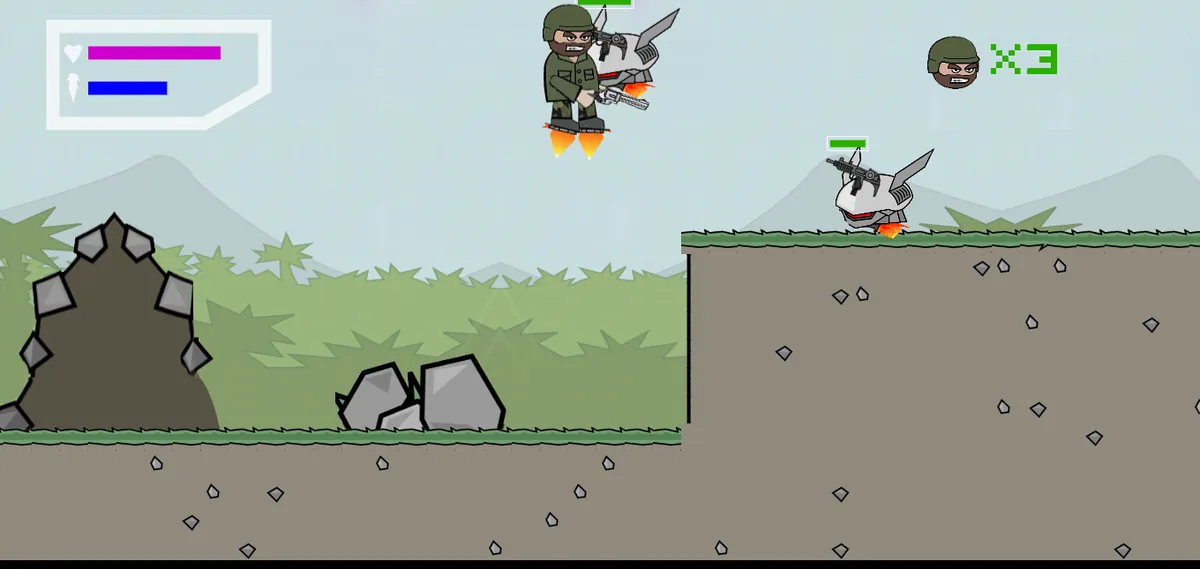
1. Fly in short bursts
Holding the boost the whole time makes your path easy to predict and drains your boost fast. Tap it in short bursts so you rise, drift and drop in an uneven rhythm. A target that keeps changing height is much harder to hit.
2. Never hover in the open
Hanging still in the middle of the sky is a classic beginner mistake. Every player on that side of the map can see you, and you have nothing to hide behind. Cross open space quickly, then land near a wall, ledge or roof.
3. Keep a boost reserve for escapes
Do not start a fight with an empty boost meter. Land briefly so it can recover, then engage. When a fight turns bad, that saved boost lets you fly out of range or over cover instead of being stuck on the ground.
4. Use height, but not all the time
Firing down from above gives you a wide view of the area below. The catch is that you are also exposed to everyone underneath. Take the high spot to start a fight, then drop behind cover once enemies start shooting back.
Aiming and Shooting Tricks to Win More Fights
Mini Militia uses dual-stick controls: one stick moves you, the other aims and shoots. Most of the tricks to kill more often come from how you handle that right stick.
5. Lead moving targets
Players are almost always moving, so at longer range aim slightly ahead of where an enemy is flying, not where they are right now. This matters most against players who fly in straight lines.
6. Keep your aim on the target while you move
Beginners often stop moving to aim, or stop aiming to move. Practice doing both at once: keep strafing with your left thumb while your right thumb stays locked on the enemy. It feels awkward at first, but it is one of the most useful skills you can build.
7. Settle before long shots
Flying makes precise aim harder. Land or find a ledge and steady yourself before taking long-range sniper shots, rather than shooting mid-flight. Take the shot, then move right away so the enemy cannot answer from the same angle.
8. Use zoom on long-range weapons
Both Appsomniacs app pages list zoom control on various weapons, and the Mini Militia Classic App Store listing mentions adaptive zoom control. Zoom in to spot distant players with a sniper, but zoom back out when someone gets close so you can see the whole fight.
Weapon and Grenade Tips
The official Mini Militia Classic page names weapons such as the Desert Eagle, Uzi, Magnum, MP5, AK47, M4, M14, shotgun, M93BA sniper, SMAW rocket launcher, machete, PHASR and Saw Gun, plus frag, proximity and gas grenades. For a full breakdown, see our Mini Militia guns list.
9. Match your gun to the distance
No weapon is best everywhere. Pick fights at the range your current gun handles well, and avoid the rest.
| Range | Good picks | How to play it |
|---|---|---|
| Very close | Shotgun, machete, melee | Rush around corners and fight face to face |
| Close to mid | Uzi, MP5, dual handguns | Strafe and keep steady pressure |
| Mid | AK47, M4, M14 | Fight from cover and pick off exposed players |
| Long | M93BA sniper | Stay far back, settle, zoom and take clean shots |
| Groups and cover | SMAW rocket launcher, grenades | Hit players bunched together or hiding behind walls |
10. Dual wield handguns when you can
Both official Appsomniacs pages list dual wield with handguns, and the Mini Militia Classic App Store listing advertises "default dual wielding." Two handguns give you more shots before you need to back off.
11. Use melee when an enemy is right on top of you
Melee attacks are a listed feature in the official apps. When someone is inside your gun's comfort zone, a quick melee hit can be faster than trying to swing your aim around. Do not chase melee kills across open ground, though.
12. Use grenades on players in hiding spots
A player hiding behind a wall is safe from your bullets, but a grenade can reach spots your gun cannot. Practice your throws in offline Training so you learn how far each grenade travels and how it reacts when it hits walls, then use that to flush players out of hiding spots.
13. Test proximity grenades as traps
The official pages list proximity grenades alongside frag and gas grenades. Test how they behave in Training first. If they wait for a player to come near, place them where enemies keep returning, such as weapon spots, power-up spots and narrow passages, then fight from a spot where enemies have to cross them to reach you.
Map Awareness and Cover
Pro players rarely win because of aim alone. They win because they know where to stand and where the next fight will come from.
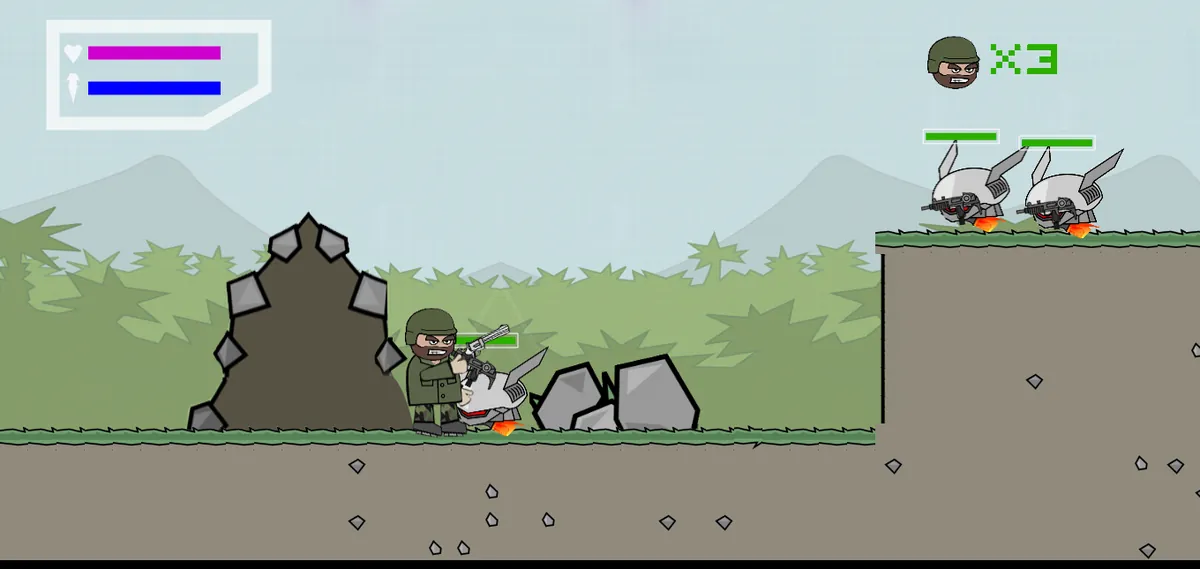
14. Learn where weapons and power-ups appear
The official apps list power-ups such as the power boost, health pack and riot shield, and weapons are picked up around the maps. Learn where these show up on your favorite maps. Grabbing a health pack before a fight, or a strong gun before your rival, often decides the round.
15. Peek, shoot, drop back
Stand behind a wall or ledge, step or fly out just long enough to fire, then return to cover. Your enemy only gets a small window to hit you. Repeat it from slightly different spots so they cannot pre-aim the same corner.
16. Watch the edges of your screen
Fights often start off-screen. Check the edges of your view every few seconds, and do not chase a weak enemy deep into an area you cannot see. That is how you fly straight into a second player or a grenade.
Teamwork Tips for Multiplayer
Mini Militia Classic advertises multiplayer for up to 12 players online or over local Wi-Fi/LAN, with team modes such as CTF, VIP and Plant the Bomb. Team games reward cooperation more than solo kills. If you play with people you know, our guide on how to play Mini Militia with friends covers the setup.
17. Stick close and cross your fire
Two players covering the same enemy from different angles usually beat one player. Stay close enough to help each other, but not so close that one grenade catches you both. If a teammate draws fire, attack the enemy from the side.
18. Play the objective, not the scoreboard
In objective modes, kills only matter if they help your team win. Guard the flag carrier, protect your VIP, or cover whoever is handling the bomb. Agree on simple roles before the match, such as one long-range player and one close-range player. For how each mode works, read our Mini Militia game modes guide.
Best Mini Militia Controls and Settings
There is no single best control setup, because thumb size, screen size and play style differ. What the official apps do offer is room to adjust: the Mini Militia Classic page on Appsomniacs mentions screen layout and performance tuning options, and the App Store listing for Mini Militia Classic mentions custom game controls with a greater viewport and adaptive zoom.
19. Fit the layout to your hands
Use the screen layout options to get the controls as close as possible to where your thumbs rest naturally, so you never stretch to fire or throw a grenade. If the game stutters, try a lower-quality option in the performance settings before you blame your aim. A smooth game is easier to aim in than a pretty one.
20. Test every change offline first
Change one setting at a time, then try it in an offline mode such as Training or Survival before you go online. Mini Militia Classic includes a training mode where you can "Train with the Sarge." If a change makes you worse after a few rounds, switch it back.
What about aim offset?
Many players search for an "aim offset" setting, but the official store listings and the Appsomniacs pages do not explain it, and the name and options can change between apps and updates. If your app has a setting with this name, read its in-game description, change it one step at a time and test it in Training before you rely on it. The custom controls, greater viewport and adaptive zoom mentioned above are worth testing the same way.
Mini Militia Tips and Tricks for Our Free Browser Version
Our free Mini Militia Classic game is a fan-made, open-source remake of single-player Survival mode. It is not the official app and is not affiliated with Miniclip or Appsomniacs. It has one pistol-style gun and no grenades, melee, zoom or pickups, so it is a clean place to practice the basics: movement, aim and cover.
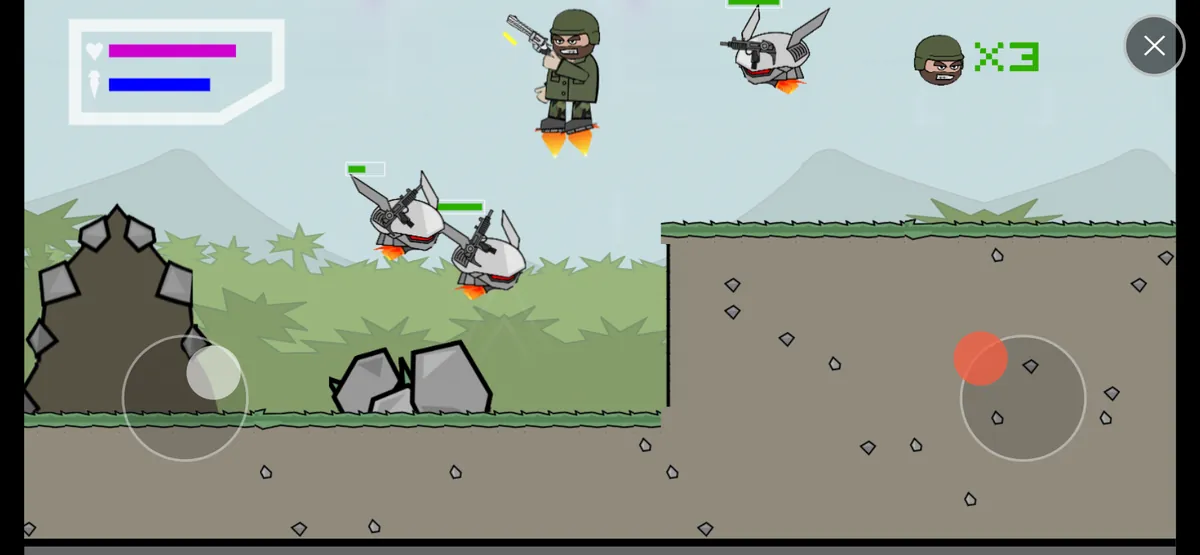
On PC
- Press W in short bursts to fly, use S to drop down quickly, and watch the blue fuel bar. When it runs dry, the jetpack stops until a little fuel refills.
- Each left click fires one shot, so keep clicking while you strafe with A and D.
- Use the big stones and raised ledges as cover. Bullets from both sides stop when they hit terrain or stones.
On phones and tablets
- Turn your device sideways. Your left thumb works the MOVE / FLY joystick and your right thumb works AIM / FIRE.
- Drag the right stick toward an enemy to aim. Push it a bit further and the gun auto-fires at about 3 shots per second, while a small drag aims without shooting.
- Make short, firm left-thumb drags to the side to dodge while you keep shooting (tiny drags do not move you).
For both
- Finish one enemy before switching. Each takes 2 to 5 hits, and a new one arrives every 3 seconds until 6 are alive.
- Follow the red arrows to face far-away enemies early.
- Your purple health bar does not refill during a life, so play safer when it gets short.
For the full control list, see how to play on PC and phone, check the screen guide to read health, fuel and lives at a glance, and read our survival tips for the browser game.
Frequently asked questions
How can I get better at Mini Militia fast?
Focus on three habits: fly in short bursts, aim slightly ahead of moving players at longer range, and fight from cover. Practice them in an offline mode before you play online matches.
What are the best Mini Militia controls?
The best controls are the ones that fit your thumbs. Use your app's layout and control options to keep the sticks within easy reach, then test one change at a time in an offline mode.
What is aim offset in Mini Militia?
Official Mini Militia pages do not define an aim offset setting, and setting names change between apps and updates. If your app has one, read its in-game description and test any change in offline Training before playing online.
What is the best gun in Mini Militia?
No gun is best at every range. Shotguns and melee win up close, rifles like the AK47 and M4 suit mid range, and the M93BA sniper works best from far away.
What are the best Mini Militia tips for beginners?
Never hover in the open, keep some rocket boost in reserve, learn where health packs and weapons appear, and stay near teammates in team modes.
Sources
We checked the facts in this guide against these official and reference pages:
More Mini Militia guides
Mini Militia Classic vs Mini Militia (War.io): What's the Difference?
Mini Militia Classic or Miniclip's War.io? See who makes each app, how they differ on LAN play, modes and purchases, and which one suits you.
Mini Militia Game Modes Explained: Survival, Team Battle, CTF, VIP and PTB
Every Mini Militia game mode explained: Training, Survival, Team Battle, CTF, VIP and PTB, with how to win each and the best order to learn them.
Mini Militia Guns List: Every Weapon Explained
Every gun Appsomniacs names for Mini Militia, from the Desert Eagle to the M93BA sniper, plus dual wield, zoom, grenades and the best gun for each range.
How to Play Mini Militia with Friends: Online, LAN Wi-Fi and Hotspot
Step-by-step ways to play Mini Militia with friends: online friends and custom games, LAN Wi-Fi in Mini Militia Classic, hotspot play without internet, and fixes.