How to Play Mini Militia with Friends: Online, LAN Wi-Fi and Hotspot
Here is how to play Mini Militia with friends: everyone installs the same app, then you either team up online or join one local game over the same Wi-Fi network or a phone's hotspot. Local Wi-Fi (LAN) play is built into the Mini Militia Classic app, and it works even without an internet connection. Miniclip's version focuses on online play, with a friends list and custom games.
This guide walks through each method step by step, then covers fixes for the most common "I can't see your game" problems. One quick note: the free Mini Militia Classic game on this site is a fan-made, single-player browser remake, so you can't play it with friends. It is a quick way to warm up your jetpack and aim skills before game night, though.
Key takeaways
- Everyone needs the same app and version: Mini Militia Classic and Miniclip's version are separate apps.
- Miniclip's version has in-game friends: add players by nickname or ID and play custom games together.
- Mini Militia Classic supports local LAN Wi-Fi play, listed as up to 12 players, with no internet needed.
- No router? Turn on one phone's hotspot, connect the other phones to it and host a LAN game.
- On iPhone and iPad, allow Local Network access for the game or friends may not find your match.
Is Mini Militia Multiplayer? Does It Work Offline?
Yes. Mini Militia is built around multiplayer battles, and the official apps also include offline modes. What you can do with friends depends on which app you have, because there are now two separate versions on phones.
The original Doodle Army 2: Mini Militia by Appsomniacs offered online play plus local multiplayer over Wi-Fi or Bluetooth for up to 6 players. Today, the two apps handle friends differently:
| Way to play | Mini Militia Classic (Appsomniacs) | Miniclip's version |
|---|---|---|
| Online multiplayer | Yes, on regional servers, up to 6 players (no friends list described on official pages) | Online matches with up to 6 players, plus in-game friends and custom games |
| Local Wi-Fi (LAN) | Yes, up to 12 players on local Wi-Fi | Not in the current store description (a 2018 update note moved LAN games to Practice (Local)) |
| With friends, no internet | Yes, over LAN Wi-Fi using a router or a hotspot | Not described in current listings |
| Offline modes | Training, Co-op and Survival | Survival (store listing) |
So if your group is in the same room and has no internet, pick Mini Militia Classic. If your friends live in different places, you'll play online, and Miniclip's version has the clearest friends features. Bluetooth play belonged to the original app; the Classic listings describe local play over Wi-Fi instead.
Before You Start: Get Everyone on the Same App and Version
This is the step most groups skip, and it causes most connection problems. Mini Militia Classic and Miniclip's version are separate apps from different companies, so plan on everyone using the same one.
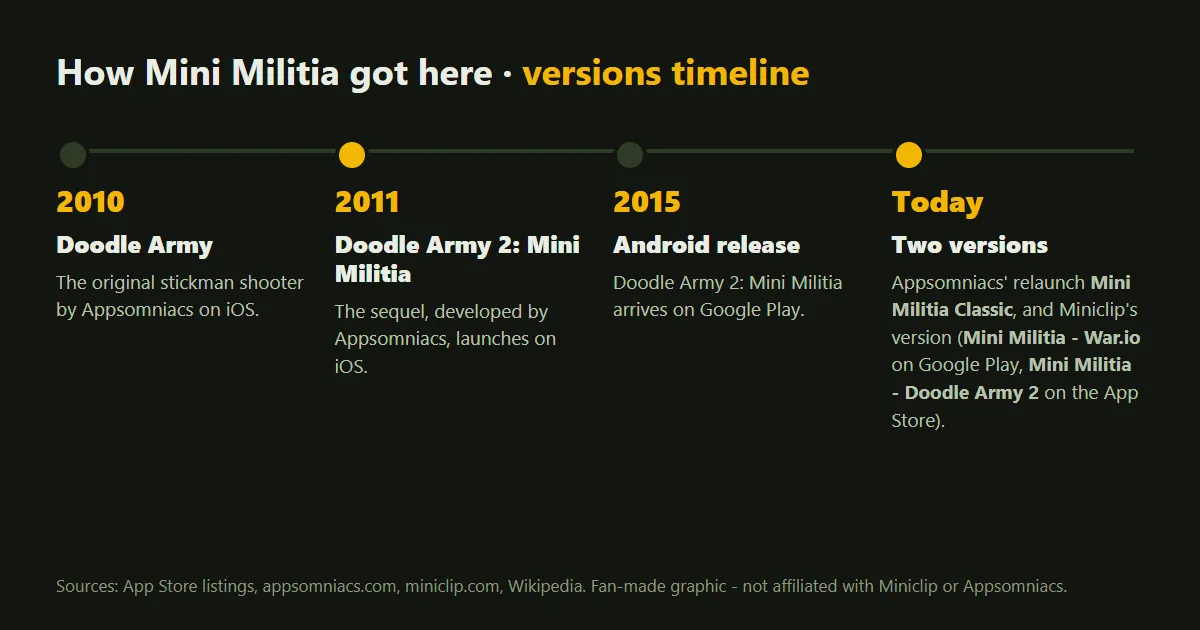
- Mini Militia Classic is the Appsomniacs relaunch. It is called "Mini Militia Classic" on the App Store and "Mini Militia Classic : DA2 MMC" on Google Play.
- Miniclip's version is called "Mini Militia - Doodle Army 2" on the App Store and "Mini Militia - War.io" on Google Play.
Everyone should use the official version of the same app and update it to the latest version. Miniclip's own release notes say you and your friends must be on the latest app version to find each other and play together. Matching versions is a good habit for LAN games in Classic, too.
Not sure which app you have? Our guide to Mini Militia Classic vs War.io explains the differences.
How to Play Mini Militia Online with Friends
In Miniclip's version (War.io / Doodle Army 2)
Miniclip's app has an in-game friends system. According to its App Store release notes, you can search for players by nickname or ID, add them as friends and play custom games together. This works with any account type, including guest accounts.
- Update the app on every phone.
- Find your nickname or player ID in the game and send it to your friends.
- Search for each other by nickname or ID and add one another as friends.
- Have one player set up a custom game and bring the others in.
- Choose a mode, such as Team Deathmatch, and start the match.
Older release notes also mention joining custom games by sharing a lobby code and changing match length in friends and custom matches. Menus move around between updates, so look for the Friends or Custom options in the app's online play area.
In Mini Militia Classic
Mini Militia Classic offers online multiplayer on regional servers, which Appsomniacs says means closer servers and better pings. The official pages don't describe a friends list or private rooms for online play, so check the online menu in your current version. If your friends are in the same place, LAN play is the option the official listings highlight for playing Classic together.
How to Play Mini Militia with Friends on LAN Wi-Fi
Local multiplayer over Wi-Fi is the classic way to play Mini Militia with friends in the same room. Mini Militia Classic brought it back: its Google Play listing says you can play with up to 12 players using local Wi-Fi, and the App Store listing mentions restored online and offline LAN battle modes. A LAN game runs on your local network, so the router shouldn't need a working internet connection.
Here is the general flow. Button names can change between updates, but the idea stays the same:
- Connect every phone to the same Wi-Fi network.
- Open Mini Militia Classic on each phone.
- Go to multiplayer and choose the local or LAN Wi-Fi option, not online.
- One player hosts a game and picks the map and mode.
- Everyone else chooses to join and taps the host's game when it shows up.
- Sort out teams if the mode uses them, then start.
Mini Militia Classic includes team modes such as Team Battle, CTF, VIP and Plant the Bomb. Our Mini Militia game modes guide explains how each one works, so your group can pick a mode everyone enjoys.
How to Play Mini Militia with Friends Without Internet (Hotspot)
No router? One phone's hotspot can create the local network instead. To the game, a hotspot works just like a Wi-Fi router, so you use the same LAN Wi-Fi option.
- On the host phone, turn on the Wi-Fi hotspot. On many Android phones, you swipe down from the top of the screen, touch and hold Hotspot and turn on Wi-Fi hotspot (steps vary by brand; see Android Help). On an iPhone, it's called Personal Hotspot.
- On the other phones, open Wi-Fi settings, pick the hotspot's name and enter its password.
- Open Mini Militia Classic on every phone and choose the LAN Wi-Fi option.
- Any player on the hotspot can host the match. If friends can't see the game, try letting the hotspot phone host instead.
- Friends join the hosted game from the list, and you play.
The match runs between the phones on the hotspot's local network, so the game itself doesn't need internet. However, phones connected to a hotspot can still use the host's mobile data for other things, like app updates. If the host phone lets you keep the hotspot on with mobile data switched off, that's the easiest way to save data. Many phones, including most iPhones, need mobile data on to share a hotspot, so check yours first.
Running a hotspot also drains the host's battery faster, so plug it in if you can. Keep everyone close to the host phone, too, since a weak signal can cause lag.
Can't See Your Friend's Game? Troubleshooting Checklist
If the hosted game doesn't show up or players keep dropping out, work through this list:
- Same app, same version. Make sure nobody has the other Mini Militia app. Update every phone and restart the game.
- Same network. Check that every phone is on the exact same Wi-Fi network or hotspot, not on mobile data or a different network.
- Local Network access on iPhone and iPad. On iOS 14 and later, apps must ask before they can find devices on your network. If you tapped Don't Allow, open Settings, tap Privacy & Security (just Privacy on older iOS versions), tap Local Network and turn the game on, as Apple explains. Appsomniacs has also released fixes for LAN permissions on newer iOS versions, so updating helps.
- Permissions on Android. If the app asks for access to nearby devices or your network, allow it.
- Stay on Wi-Fi without internet. Some phones warn that a Wi-Fi network has no internet and may switch to mobile data. Choose to stay connected.
- Skip public and guest Wi-Fi. School, office, cafe and hotel networks often stop devices from seeing each other. A home router or a hotspot works better.
- Turn off VPNs. A VPN can send your traffic away from the local network.
- Host again. If nothing works, have the host close the game and create a new one, or let a different player host.
Tips for Better Matches with Friends
- Agree on the mode first. Team modes are more fun when the teams are even, so mix experienced and new players.
- Start with short matches. New players learn faster with quick rounds and frequent restarts.
- Learn the weapons together. Our Mini Militia guns list explains what each gun is good at, so everyone knows which weapons to grab on the map in the apps.
- Share the basics. Flying to high ground, using cover and managing your rocket boots win most fights. Our Mini Militia tips and tricks go deeper.
Practice Movement and Aim in the Browser First
A friend who is new to Mini Militia will have more fun if they can already fly and aim. The browser version of Mini Militia on our homepage is a fan-made remake of the single-player Survival mode. It's free, needs no install and runs on PCs, phones and tablets.
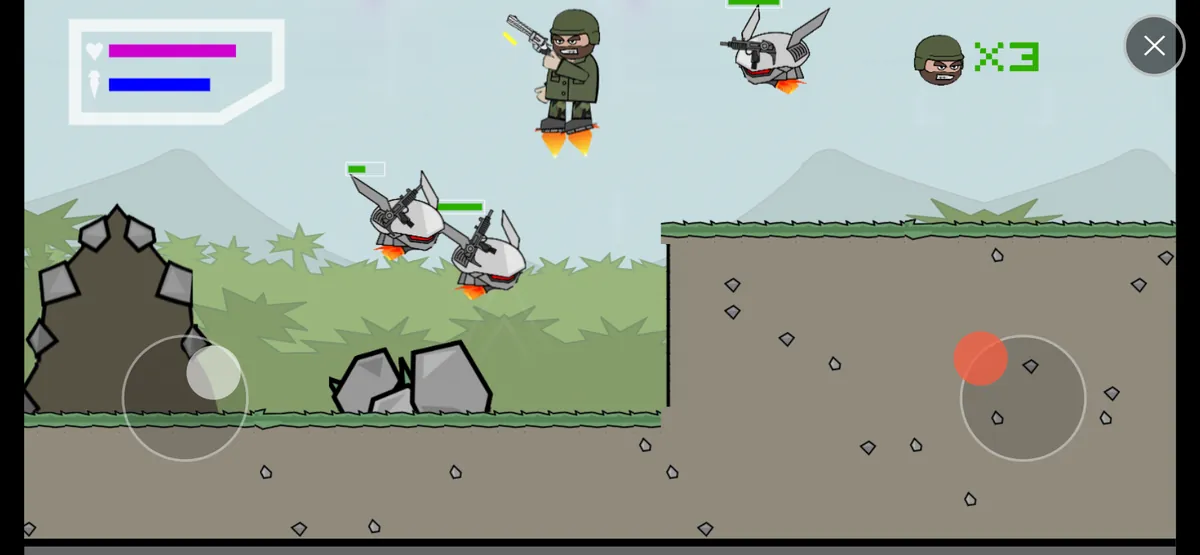
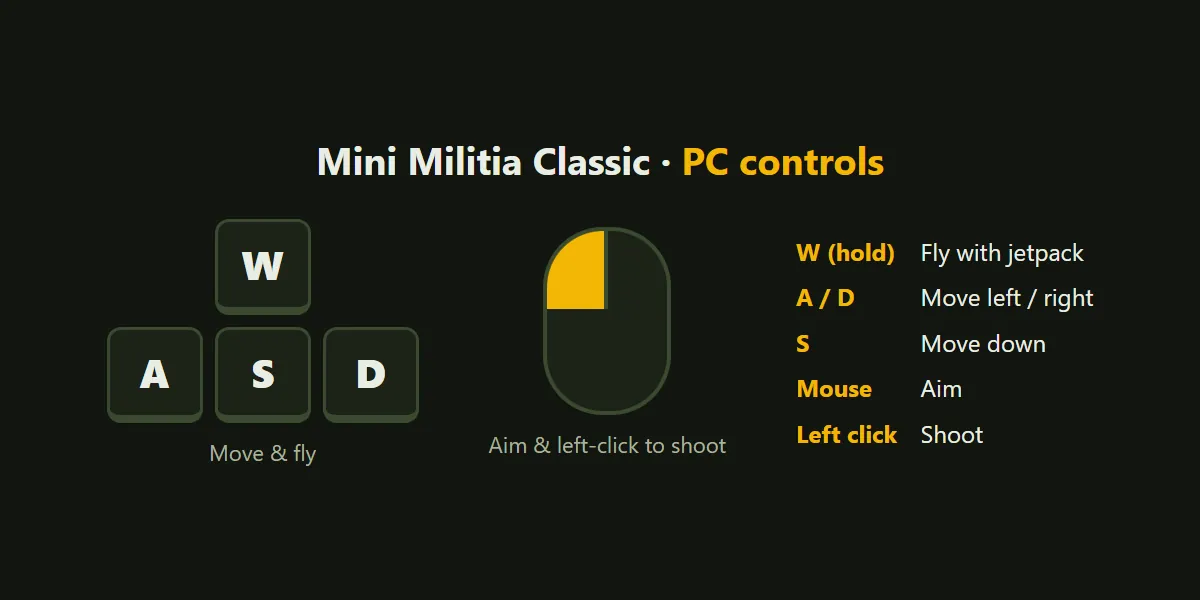
It has no multiplayer, friends list or saving, so it doesn't replace the apps. Think of it as a warm-up: jetpack enemies keep spawning, you manage your jetpack fuel, and you try to survive with three lives. On a phone, you play in landscape with a left MOVE / FLY joystick and a right AIM / FIRE joystick. On PC, you fly and move with W, A, S and D, aim with the mouse and click to shoot. See the full controls guide for details.
Frequently asked questions
Can you play Mini Militia with friends without internet?
Yes. In Mini Militia Classic, connect every phone to the same Wi-Fi router or to one phone's hotspot, then have one player host a LAN Wi-Fi game for the others to join. The router shouldn't need a working internet connection.
How many friends can play Mini Militia together?
The Google Play listing for Mini Militia Classic says up to 6 players online or 12 using local Wi-Fi. Miniclip's version lists online multiplayer with up to 6 players.
Is there a friend code in Mini Militia?
Miniclip's version lets you search for players by nickname or player ID and add them as friends, and its release notes also mention sharing a lobby code for custom games. The official Mini Militia Classic pages don't describe a friend code system.
Can Mini Militia Classic and War.io players play together?
Don't count on it. No official page says they can: they are separate apps from different companies, and neither official listing mentions cross-play, so have everyone install the same app and update to the latest version.
Why can't my friend see my LAN game in Mini Militia?
Common causes are phones on different networks or different app versions. On an iPhone or iPad, also check Settings > Privacy & Security > Local Network and make sure the game is turned on.
Can I play Mini Militia with friends in a web browser?
Not on this site. Our free browser game is a fan-made, single-player remake of Survival mode, so it's for solo practice. For multiplayer with friends, use the official apps.
Sources
We checked the facts in this guide against these official and reference pages:
More Mini Militia guides
Mini Militia Classic vs Mini Militia (War.io): What's the Difference?
Mini Militia Classic or Miniclip's War.io? See who makes each app, how they differ on LAN play, modes and purchases, and which one suits you.
Mini Militia Game Modes Explained: Survival, Team Battle, CTF, VIP and PTB
Every Mini Militia game mode explained: Training, Survival, Team Battle, CTF, VIP and PTB, with how to win each and the best order to learn them.
Mini Militia Guns List: Every Weapon Explained
Every gun Appsomniacs names for Mini Militia, from the Desert Eagle to the M93BA sniper, plus dual wield, zoom, grenades and the best gun for each range.
Mini Militia Tips and Tricks: 20 Ways to Play Like a Pro
20 practical Mini Militia tips and tricks for movement, aiming, weapons, grenades, map control, teamwork and controls, plus tips for our free browser version.