Mini Militia Game Modes Explained: Survival, Team Battle, CTF, VIP and PTB
Mini Militia game modes fall into two groups: offline modes you play against computer-controlled enemies (such as Training, Survival and Co-op) and multiplayer modes you play against other people (Team Battle or Team Deathmatch, Capture the Flag, VIP and Plant the Bomb). Which ones you see depends on your app. Appsomniacs' Mini Militia Classic lists Team Battle, CTF, VIP and Plant the Bomb (PTB), while Miniclip's App Store listing mentions offline Survival, and its update notes add Team Deathmatch and Capture the Flag.
This guide explains how each mode works, how to win it, and the best order to learn them as a new player. If you want to warm up first, you can play Mini Militia Classic online for free in our fan-made browser remake of Survival mode.
Quick note: this is a fan site. We are not connected to Miniclip or Appsomniacs, and the mode lists below come from the official app pages and store listings.
Key takeaways
- Survival is offline in both apps; Mini Militia Classic also lists offline Training and Co-op.
- Mini Militia Classic lists Team Battle, CTF, VIP and Plant the Bomb (PTB).
- Miniclip's version lists offline Survival, and its update notes add Team Deathmatch and Capture the Flag.
- PTB stands for Plant the Bomb, a team mode built around a bomb objective.
- Learn in this order: Training, Survival, Team Battle, CTF, VIP, then PTB.
Mini Militia Game Modes at a Glance
Here is a quick overview of every mode named on the official pages for the mobile apps. "Solo" means you can play it alone against computer-controlled enemies.
| Mode | Solo or team | Goal | Best for |
|---|---|---|---|
| Training | Solo (offline) | Learn movement, aiming and weapons with the Sarge | Brand-new players |
| Survival | Solo (offline) | Stay alive against bots as long as you can | Practicing aim and jetpack control |
| Co-op | Team up (offline) | Fight computer-controlled enemies together | Playing with a friend before PvP |
| Team Battle / Team Deathmatch | Team | Get more kills than the other side | Quick, simple matches with friends |
| Capture the Flag (CTF) | Team | Capture the enemy flag | Groups who like teamwork and roles |
| VIP | Team | Protect your VIP and take down theirs | Teams that talk to each other |
| Plant the Bomb (PTB) | Team | Play the bomb objective as a team instead of just chasing kills | Experienced, organized squads |
Keep in mind that apps change over time. A mode can be renamed, moved or removed in an update, so treat the mode menu in your app as the final word.
Mini Militia Classic Game Modes vs Miniclip's Version
There are two current versions of the original mobile game, and they do not list the same Mini Militia modes.
Mini Militia Classic (Appsomniacs)
The official Mini Militia Classic page lists offline Training and Survival, Team Battle, and "restored" CTF, plus newer modes like VIP and Plant the Bomb (PTB). Its App Store listing says you can play multi-team or two-team matches. The player limit depends on how you connect: the Google Play listing says up to 6 players online or 12 over local Wi-Fi.
Miniclip's version
Miniclip runs its own version, called Mini Militia - Doodle Army 2 on the App Store and Mini Militia - War.io on Google Play. Its App Store listing describes online multiplayer with up to 6 players and an offline Survival mode, and its update notes mention a Team Deathmatch mode and Capture the Flag.
Not sure which app you have? Our guide to Mini Militia Classic vs War.io explains the split in plain terms.
Our browser game
The free game on our homepage is different from both apps. It is a fan-made, open-source remake of single-player Survival only. It has no Team Battle, CTF, VIP, PTB or multiplayer of any kind.
Training Mode: Learn the Basics With the Sarge
Training is an offline mode listed on the official Appsomniacs pages for Doodle Army 2 and Mini Militia Classic, which describe it as a chance to "train with the Sarge" and sharpen your skills with different weapons and grenades.
The goal is to get comfortable with the controls before real players punish your mistakes.
What to practice in Training
- Dual-stick control: one stick moves you and the other aims and shoots. Practice moving one way while shooting the other.
- Rocket boots: the official pages call them rocket boots; most players say jetpack. Learn to fly in short bursts so you do not run dry in mid-air.
- Weapons and grenades: try each weapon you can pick up, and practice throwing grenades over cover.
Spend a few sessions here, then move on. Training will not teach you how real players move, so do not stay too long.
Mini Militia Survival Mode: Solo and Co-op
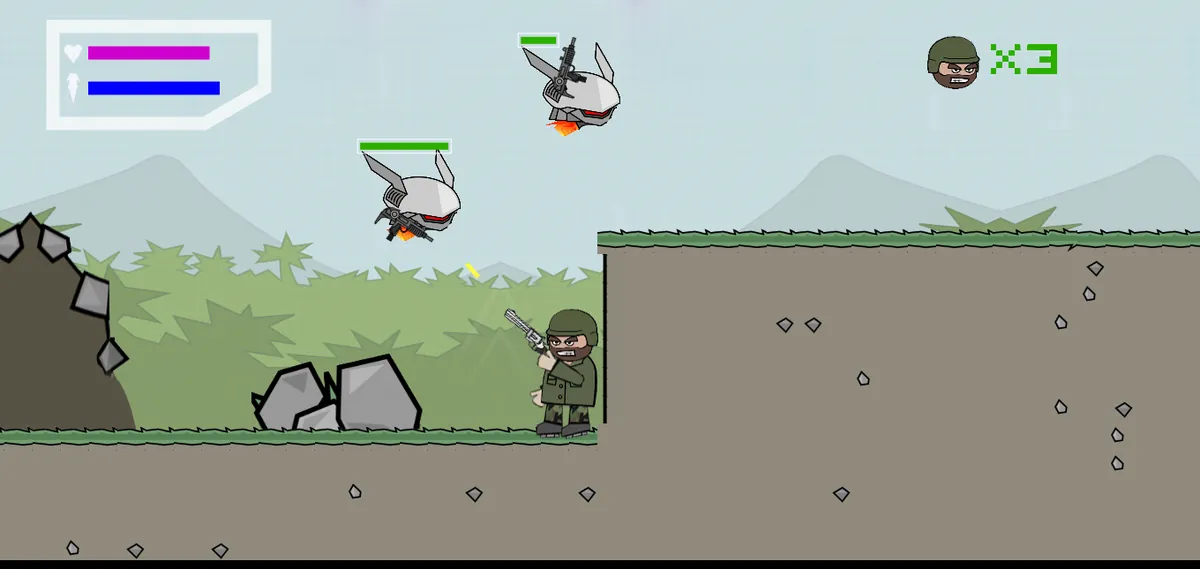
Survival is the mode most people mean when they search for Mini Militia solo play. Both the Appsomniacs page and Miniclip's App Store listing name it as an offline mode, so you can play it without anyone else.
How solo Survival works in the apps
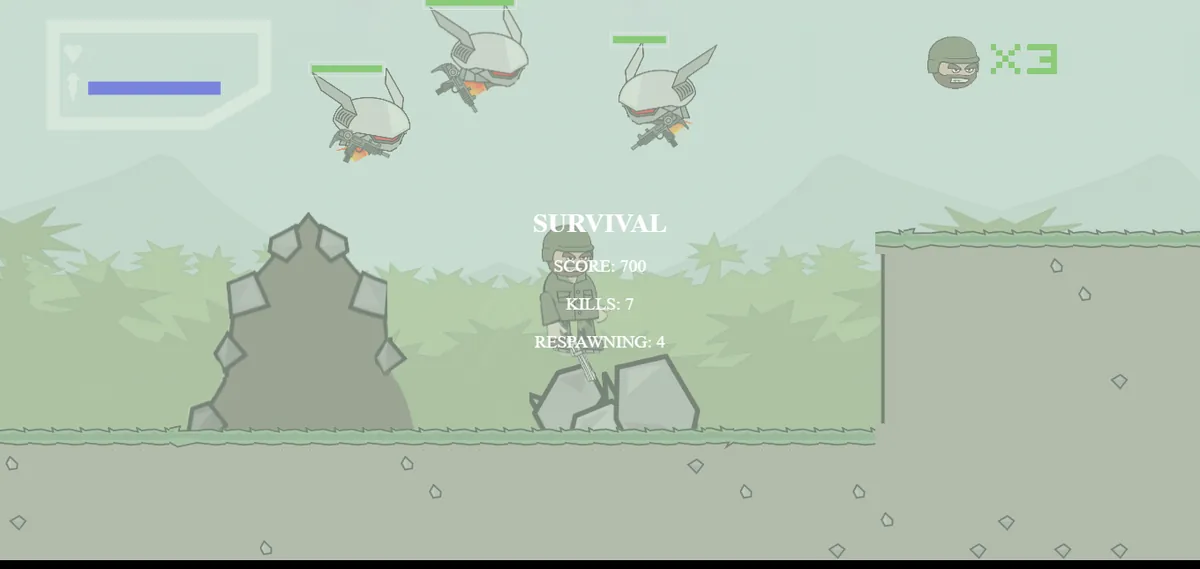
You fight computer-controlled enemies on a map and try to last as long as you can while taking them down. Details such as how many lives you get and how the enemies get tougher can differ between versions and updates.
How to last longer
- Stay near cover instead of hovering in the open.
- Fight enemies one at a time. Pull back when two or more have a clear shot at you.
- Keep some jetpack fuel in reserve so you can escape a bad spot.
What about Co-op?
Mini Militia Classic's Google Play listing names an offline Co-op mode next to Training and Survival, and Wikipedia also mentions cooperative play. The idea is the same as Survival, except you and a friend share the fight. Check the mode menu in your app to see what it supports.
Practice Survival in your browser
You can also practice the basics in our free Mini Militia Classic game, a fan-made browser remake of Survival. It runs on PC with keyboard and mouse, and on phones and tablets with touch joysticks. You get 3 lives, and a new jetpack enemy appears every 3 seconds until six are alive at once. Our survival tips for the browser game will help you last longer.
Team Battle and Team Deathmatch
Team Battle appears in the feature lists on Appsomniacs' pages, and the update notes on Miniclip's App Store listing mention a Team Deathmatch mode. Both put you on a side and ask you to beat the other team in a straight fight.
This is the easiest multiplayer mode to understand. There is no flag or bomb to worry about, just you, your team and the enemy.
How to win team matches
- Stick with at least one teammate. Two players aiming at one enemy win most fights.
- Grab useful weapons and power-ups early. The official pages list power-ups such as the health pack and riot shield.
- Don't chase a kill deep into enemy ground alone. Every time you go down, the other team gets closer to winning.
Mini Militia Classic's listing also mentions multi-team matches, so you may see more than two sides. To set up a match with people you know, see how to play Mini Militia with friends.
Capture the Flag (CTF): How It Works and How to Win
Capture the Flag is listed as a "restored" mode in Mini Militia Classic, meaning it returns from earlier versions of the game. Miniclip's App Store update notes also mention adding Capture the Flag, so you may find it in either app.
In most shooters, Capture the Flag means each team guards a flag at its base and scores by carrying the enemy flag back home. The official pages do not spell out Mini Militia's exact scoring, so check the mode description in your app.
Kills still help, but in a flag mode they usually are not the main goal.
How to win CTF
- Split roles. Have one or two players defend your flag while the rest attack.
- Escort the carrier. Whoever holds the flag becomes everyone's target. Fly ahead and clear the path.
- Use high routes. Flying over the map with the jetpack is often faster than running across the ground.
VIP Mode: Protect Yours, Hunt Theirs
VIP is one of the newer modes named on the Mini Militia Classic page. The official pages do not spell out the rules, but as the name suggests, the match centers on a VIP player on each team: you protect yours and go after theirs.
This changes how you play. Instead of spreading out for kills, your team needs to stay close to one person and react fast when that person is under fire.
How to win VIP
- If you are the VIP, stay behind your team and avoid open air.
- If you are guarding the VIP, put yourself between them and the enemy.
- On attack, skip easy kills on regular players when you have a clean shot at the VIP.
Scoring rules can change with updates, so read the mode description in your app before your first match.
What Is PTB in Mini Militia? Plant the Bomb Explained
PTB stands for Plant the Bomb. It is one of the newer team modes in Mini Militia Classic, listed on the official Appsomniacs page next to VIP.
As the name suggests, the match revolves around planting a bomb, so you win by playing the objective rather than just chasing kills. Details such as where the bomb goes, timers and defusing are set by the app and can change between updates, so check the mode description before you play.
Tips for PTB
- Talk to your team before the round. Decide who goes for the objective and who covers them.
- Use grenades to clear defenders out of tight spots.
- Don't rush in alone. A single player near the objective is an easy target.
Because PTB depends so much on teamwork, leave it until you are comfortable with the other modes.
The Best Order to Learn Mini Militia Modes
If you are new, learning the modes in this order keeps things simple and builds one skill at a time.
- Training: learn the controls with no pressure.
- Survival: practice aim, movement and cover against bots.
- Team Battle or Team Deathmatch: your first fights against real players.
- Capture the Flag: learn to play an objective and a role.
- VIP: practice protecting and focusing one target.
- Plant the Bomb: put it all together in an objective mode that rewards team planning.
Whatever mode you play, a few habits help everywhere: aim while you move, stay near cover, and never chase a lone kill into enemy ground. Our Mini Militia tips and tricks guide goes deeper, and the Mini Militia guns list explains the weapons you will pick up along the way.
On a laptop or desktop? The official apps are for iOS and Android, but you can still practice Survival basics with Mini Militia for PC in your browser, with no emulator needed.
Frequently asked questions
What game modes are in Mini Militia?
Mini Militia Classic lists offline Training, Co-op and Survival, plus Team Battle, CTF, VIP and Plant the Bomb (PTB). Miniclip's App Store version lists offline Survival, and its update notes mention Team Deathmatch and Capture the Flag.
What is PTB in Mini Militia?
PTB means Plant the Bomb, a team mode in Mini Militia Classic built around a bomb objective. It is listed as one of the newer modes alongside VIP.
Can you play Mini Militia solo?
Yes. Survival is an offline mode you play alone against computer-controlled enemies, and Mini Militia Classic also lists offline Training. You can also practice Survival basics in our free browser remake on the homepage.
Is there a simple mode in Mini Militia?
The official pages do not list a mode called "simple mode." For the simplest start, play Training, then Survival, before you join team matches.
Does the browser game have CTF or multiplayer?
No. Our browser game is a fan-made remake of single-player Survival only. Team modes like CTF, VIP and PTB are only in the official apps.
How many players can play Mini Militia multiplayer?
Miniclip lists up to 6 players online. Mini Militia Classic's Google Play listing says up to 6 players online or up to 12 over local Wi-Fi.
Sources
We checked the facts in this guide against these official and reference pages:
More Mini Militia guides
Mini Militia Classic vs Mini Militia (War.io): What's the Difference?
Mini Militia Classic or Miniclip's War.io? See who makes each app, how they differ on LAN play, modes and purchases, and which one suits you.
Mini Militia Guns List: Every Weapon Explained
Every gun Appsomniacs names for Mini Militia, from the Desert Eagle to the M93BA sniper, plus dual wield, zoom, grenades and the best gun for each range.
How to Play Mini Militia with Friends: Online, LAN Wi-Fi and Hotspot
Step-by-step ways to play Mini Militia with friends: online friends and custom games, LAN Wi-Fi in Mini Militia Classic, hotspot play without internet, and fixes.
Mini Militia Tips and Tricks: 20 Ways to Play Like a Pro
20 practical Mini Militia tips and tricks for movement, aiming, weapons, grenades, map control, teamwork and controls, plus tips for our free browser version.